How to choose a photo for a custom 3D figurine
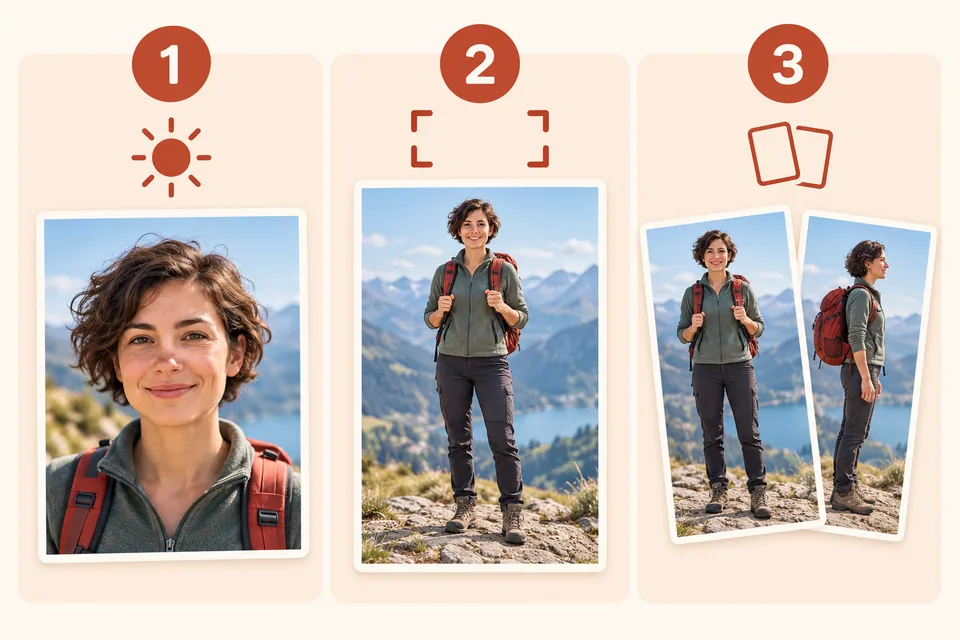
Three useful references for showing your subject clearly. Generated illustrations, not customer photos.
- A sharp, well-lit face.
- Full body, feet and accessories visible.
- Extra views to clarify hidden details.
A favourite photograph captures a moment. A useful reference also makes the subject’s shape easy to understand. For a custom figurine from a photo, look for a clear face, an understandable pose and the objects you want to include. You do not necessarily need a professional photoshoot.
Show the face and the full pose
Use the original image if you have it, rather than a screenshot or a small crop enlarged until it becomes blurry. Check that hands, strong shadows or filters do not hide or reshape important facial features.
For a full-body figurine, choose a picture showing the legs and feet too. A photograph cropped at the waist cannot explain how the person is standing. Those areas must be interpreted. A description can explain your intention, but cannot supply the missing visual detail.
Identify the subject and the details that matter
Choose who you want to represent in the configurator. If there are several people in the photo, specify which to include. For a couple, look for two clearly visible faces and explain the arrangement, such as “standing side by side, as in the photo”.
A football, a raised arm or a moving skirt may be central to the design. Mention it in your description. Where possible, avoid an image in which another object hides the very detail you want to keep.
Shape and colour play different roles
The figurine uses one PLA filament throughout. Clothing, skin and accessories do not receive separate colours. An outfit is represented through its shape and surface detail, within the limits of the selected size.
Choose the filament finish and colour before generating the preview. Marble, wood and metal effects describe the appearance of PLA; they do not mean the figurine is made from those solid materials.
Review the preview before continuing
Check the number of people, their arrangement, the pose and the main objects. If two people stood beside each other, a preview placing one in front of the other changes the composition. Make sure the image reflects your intention before moving on.
The preview is illustrative. Hidden areas and small features may be interpreted or simplified. It is not a photograph of the future print or a guarantee of an exact likeness. The next technical model is used to estimate material and printing time.
Choose the size after the technical model
A finger, a fine chain or a thin accessory becomes more delicate in a small figure. Size affects detail, printing and price. After the model is ready, you can adjust the height and wait for the recalculation. Our pricing guide explains what changes.
Before starting, choose a sharp image, check that it shows the intended pose and make sure you have permission to use it for this purpose.